Three steps, one tool
Nothing to buy and nothing to take apart. If DX3 can reprogram the module, we can tune it this way.
Pull the file
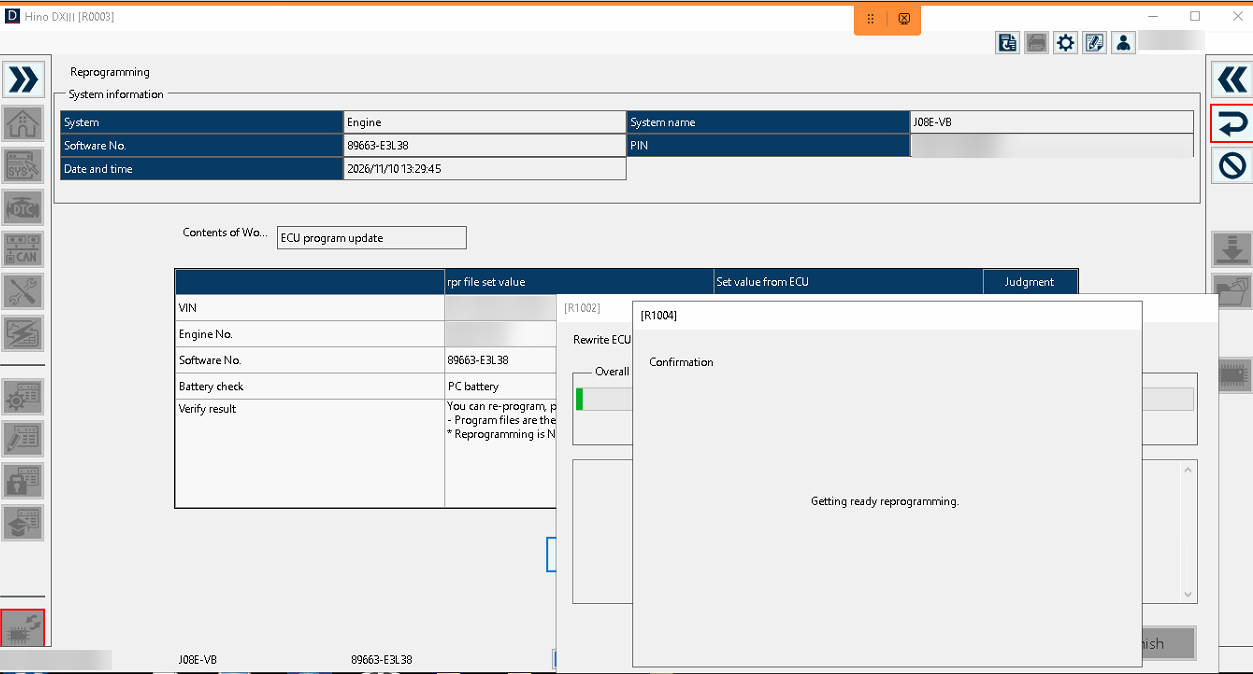
Get the .rpr for the truck out of DX3 — or the .sob files if you’ve already extracted it. Engine ECU, DCU, or both.
Send it to us
Upload it with the truck details and what you want done. Leave the file exactly as it is.
Program with DX3
We send back a file DX3 accepts. Run the reprogramming in DX3, clear codes, done.
RPR and SOB — what DX3 actually flashes
People call these “SOB files”, but the .sob is only one layer. Here is how it fits together.
.rpr
The reprogramming file DX3 uses for a module. Everything DX3 needs for one flash job is packed inside it.
.sob + support files
Extract a .rpr and you get the firmware as a .sob (S-record text), the loader DX3 puts in the
module to do the write, the security key, and a control file listing every file and its exact size.
The calibration
Inside the firmware .sob is the same data a bench read would give you. That’s the only part we
change. Loader, key and control file are left alone.
Send either layer — the .rpr as it is, or the extracted .sob set. We work from both.
Modules we do through DX3
Denso SH7058
J05E / J08E engine ECUs, including older pre-DEF trucks. Stage 1 / ECO, DPF, EGR, DTC off.
Denso SH72543
Later-generation Hino engine ECUs. Same options, same DX3 programming route.
Hino DCU
The DEF dosing control unit has its own .rpr. For SCR / DEF work, send the engine and DCU files together
so the two modules agree with each other.
Why you can’t just edit the SOB yourself
The maps aren’t the hard part. Getting DX3 to accept the file afterwards is.
DX3 rejects it
Open the .sob in an editor, change a map, export. The editor writes the S-records its own way, so the
file comes out a different length. The control file still holds the old length, DX3 compares them, and the
programming job stops before it starts.
DX3 programs it
We take the data out, modify it, fix the checksums, then put it back into the original records in place — same addresses, same record lengths, same file size. To DX3 it’s the file it expected. Each rebuilt file is checked against the control file before it goes out.
Tune your own files? Send your modified bin with the original .rpr and we’ll just do the rebuild.
Before you send
Do
- Send the file for that truck — include the VIN and ECU part number
- Send engine and DCU together for SCR / DEF jobs
- Keep your own copy of the original — it’s your return to stock
- Use a battery maintainer while DX3 is programming
Don’t
- Rename anything
- Open and re-save the files in an editor first
- Send only part of an extracted set — zip the whole folder
- Mix files from two different trucks
Questions
I have the .rpr but not the .sob. Is that enough?
Yes. The .sob comes out of the .rpr, so the .rpr on its own is all we need.
Is the DX3 route more expensive than a normal file?
No. You pay for the work on the calibration. Unpacking and rebuilding the DX3 file is part of the job.
What if DX3 stops halfway through programming?
Message us straight away. Most interrupted jobs can simply be run again in DX3; if a module won’t respond we can recover it remotely on the bench.
My file doesn’t look like what you describe.
Send it anyway. We look at it first and tell you whether it can be done before anything is charged.
I don’t have DX3 at all.
Then use one of the other routes: remote OBD flash for 2010–2026 trucks or remote bench flash for older pre-DEF trucks (both with any J2534 interface), or the file service if you have your own flash tool — that covers all Hinos, including the Bosch EDC17CV41.
Ready when you are
Upload the .rpr or the extracted .sob set with the truck details and the options you want.

Scan to chat on WhatsApp
Point your phone camera at the code to open a chat with us at +66 98 861 6568. On a phone already? Tap here.